Master Teen Patti APK Download 2027 – Complete Android Guide
Looking for reliable information about Master Teen Patti APK Download 2027? This comprehensive guide explains how Android APK files work, what to check before downloading a Teen Patti card-game app, how to install updates, and how to resolve common installation problems.
Whether you are exploring the app for the first time or troubleshooting an existing installation, understanding APK compatibility, device permissions, and download-source verification can help you make informed decisions.
This guide covers app information, Android installation, version comparisons, safety recommendations, beginner-friendly card-game rules, and practical troubleshooting instructions.
1. What Is Master Teen Patti?
Master Teen Patti is a name associated with searches for Teen Patti card-game applications and Android APK downloads. Teen Patti itself is a traditional three-card game widely recognized in India. The game combines familiar playing-card rankings with decisions about whether to continue participating in a round.
People searching for Master Teen Patti may want to learn about the Android app, locate a download resource, understand its interface, or find instructions for installing an APK package.
Because similarly named applications and websites may exist, users should confirm the exact application identity, publisher, package name, and version before downloading anything.
Why Android Users Search for Master Teen Patti
- To find information about the Teen Patti card-game experience.
- To understand APK download and installation procedures.
- To check whether an app supports their Android device.
- To find instructions for updating an existing installation.
- To resolve download, installation, or app-opening problems.
- To learn the basic rules and terminology of Teen Patti.
The most useful starting point is identifying the exact app rather than relying only on a familiar name or promotional description.
2. Master Teen Patti APK Download 2027
The phrase Master Teen Patti APK Download 2027 commonly describes a search for an Android application package or information about installing a Teen Patti-related app.
An APK, or Android Package Kit, is a file format used to distribute and install Android applications. Depending on the Android version and device configuration, APK installation may require additional confirmation when the package is obtained outside a recognized app store.
What Should You Check Before Downloading?
Before selecting an APK download, review the information supplied by the source.
- App identity: Confirm the exact application name and publisher.
- Version: Check whether a version number is clearly displayed.
- File size: Compare the downloaded file size with the publisher’s information.
- Android requirements: Confirm the minimum supported Android version.
- Update information: Look for a genuine release date or change log.
- Source transparency: Review the website’s contact details, download destination, and security information.
A year in a page title does not establish that an application has a verified 2027 release. Version information should be confirmed independently before installation.
3. Master Teen Patti App Overview
The following table summarizes the information Android users should review when evaluating an app listed under the Master Teen Patti name.
| Information | Details |
|---|---|
| Search Name | Master Teen Patti |
| Related Category | Card Game |
| Platform | Android APK information |
| Current App Version | Verify before publishing |
| APK File Size | Verify before publishing |
| Minimum Android Version | Verify before publishing |
| App Publisher | Verify before publishing |
| Latest Update Date | Verify before publishing |
| Related Information Website | masterteenpatti.shop |
Application details can change between releases. Always use verified information from the actual APK package or its publisher rather than assuming details from an older listing apply to a newer file.
4. Key Features to Look For in a Teen Patti Android App
When reviewing a Teen Patti application, users should evaluate its practical features instead of relying only on screenshots or promotional claims. The following areas can help determine whether an app meets their expectations.
Clear Card-Game Interface
A readable interface should make playing cards, menus, instructions, and available actions easy to understand. Text and controls should remain legible on smaller Android screens.
Simple Navigation
Users should be able to locate the main menu, help information, game instructions, and account-related settings without unnecessary redirects.
Understandable Game Rules
A useful card-game application should explain how rounds work, what different card combinations mean, and how users can navigate the game.
Device Compatibility
Applications should disclose supported Android versions and device requirements. Compatibility can vary depending on the release.
Transparent Updates
Release notes are valuable because they help users understand whether an update addresses performance, compatibility, interface changes, or security issues.
Accessible Support Information
Clear support instructions and privacy information make it easier to identify the app publisher and report technical problems.
These are evaluation criteria, not claims that every application using the Master Teen Patti name provides all these features.
5. Master Teen Patti Android Compatibility
Android compatibility depends on the specific APK build, the operating system, the device processor, and the application’s technical requirements.
Check Your Android Version
- Open your Android phone’s Settings.
- Go to About Phone or About Device.
- Find Android Version.
- Compare it with the minimum version listed by the app publisher.
Check Available Storage
APK installation may require more storage than the file size itself because Android must unpack application components and create app data. Keep sufficient free space before installation.
Processor and Device Support
Some APK packages are built for particular processor architectures or screen configurations. Installing an incompatible package may cause an error even when the device has enough storage.
Internet Requirements
Whether an application requires internet access depends on its actual functionality. If online services are involved, network quality can influence loading times and connectivity.
Do not assume compatibility solely because another Android device successfully installed the same application.
6. How to Download Master Teen Patti APK on Android
Before downloading an APK, identify a legitimate distribution source and check that its information matches the application you intend to install.
- Identify the app: Confirm the name, publisher, and package details.
- Review the source: Check the publisher’s recognized distribution channel and any available security information.
- Check the version: Look for a clear version number and release information.
- Confirm compatibility: Make sure the package supports your Android version and device.
- Review the download destination: Avoid unrelated redirects, deceptive buttons, and suspicious pop-ups.
- Download the APK: Use the verified download destination supplied by the legitimate publisher.
- Inspect the file: Confirm the file extension and any published checksum or signature information.
If the source cannot establish the publisher’s identity or the file’s authenticity, avoid installing the package.
Why APK Download Verification Matters
An APK file can contain executable application code. Installing an altered or malicious package may expose personal information, create unwanted permissions, or compromise device security.
7. How to Install Master Teen Patti APK on Android
Once you have obtained a verified APK from a trusted source, Android provides a standard installation process. Exact menu names may differ by manufacturer and Android version.
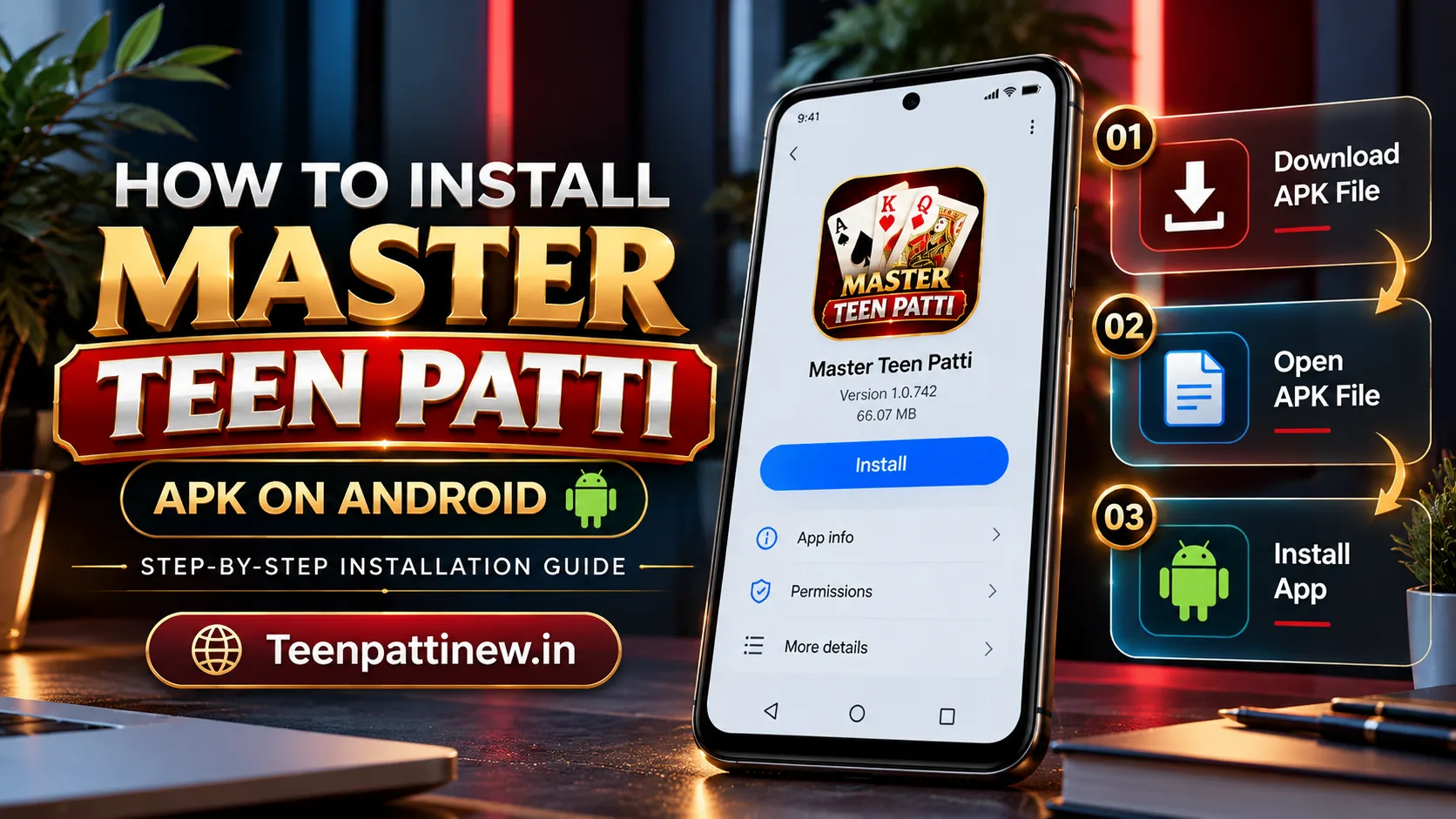
- Open the Files app or your browser’s Downloads section.
- Locate the downloaded APK file.
- Tap the file to begin the installation process.
- If Android requests permission to install apps from that source, review the request carefully.
- Allow installation only when you have verified the APK’s origin and authenticity.
- Review any security warnings and requested permissions.
- Proceed only if the file is trusted and Android does not identify a security concern.
- After installation, open the app and check whether it functions correctly.
Understanding Install Unknown Apps
Modern Android devices generally manage permission to install apps from outside an app store on a per-source basis. This permission should not be enabled unnecessarily.
What About Google Play Protect?
Google Play Protect helps detect potentially harmful applications. If it flags an APK, investigate the warning and obtain a verified copy rather than disabling security protection to force installation.
After Installation
Review app permissions and remove installation-source permissions that are no longer needed. Keep the operating system and security features updated.
8. How to Update Master Teen Patti on Android
Updating an Android application can provide improvements, fixes, and compatibility changes. However, an update should come from a verified source and match the installed app’s package identity.
Step 1: Check the Installed Version
Open Android Settings, navigate to Apps, select the relevant application, and review its app information. Some apps also display version details in their own settings menu.
Step 2: Check for a Verified Update
Consult the app publisher’s recognized distribution channel for the current version and release notes.
Step 3: Review the Changes
Read the update information before installing. Look for compatibility notes, resolved issues, and changes to permissions.
Step 4: Protect Important App Data
Where supported, use the app’s own backup or account synchronization features. Do not assume locally stored data will survive every update or reinstallation.
Step 5: Install the Verified Update
Use the publisher’s approved update method. Android may reject an update if the package identity or signing certificate does not match the installed application.
Step 6: Confirm the Result
Open the updated app, verify the version number, and check whether its main functions work as expected.
9. Master Teen Patti New Version vs Older APK
Some users consider older APK files when a recent release does not work well on their device. However, older versions can introduce security and compatibility concerns.
| Factor | Newer APK | Older APK |
|---|---|---|
| Security Fixes | May include recent fixes | May lack newer fixes |
| Android Compatibility | May support newer systems | May target older systems |
| Interface | May contain design changes | May retain an earlier design |
| Performance | Depends on release and device | Depends on release and device |
| Support | More likely to receive current support | Support may be discontinued |
| Installation Risk | Verify source and signature | Verify source and signature; additional risks may apply |
Using the latest compatible release from a verified publisher is generally preferable. Avoid downgrading without understanding the potential effects on security and stored app data.
10. Common Master Teen Patti APK Download Problems
Download Stops Before Completion
An interrupted connection, insufficient storage, or a browser problem can prevent an APK from downloading completely.
Suggested action: Check the connection, free available storage, and retry only from the verified original source.
Downloaded File Is Incomplete
A partially downloaded package may fail to open or install.
Suggested action: Compare its size or checksum with the publisher’s verified information. Delete incomplete copies.
Browser Shows a Security Warning
A browser warning may indicate that a file or destination is potentially unsafe.
Suggested action: Investigate the warning rather than bypassing it.
Not Enough Storage
Low available storage can interrupt both downloads and installation.
Suggested action: Remove unnecessary files and ensure there is sufficient free space.
Unexpected Redirects
Some download pages use confusing advertisements or redirect visitors to unrelated websites.
Suggested action: Close suspicious pages and return to a verified publisher resource.
11. Master Teen Patti APK Installation Troubleshooting
App Not Installed Error
This Android error can have several causes, including a conflicting installed package, incompatible architecture, insufficient storage, or a mismatched application signature.
Check the Android version, available storage, app identity, and publisher documentation before trying again.
There Was a Problem Parsing the Package
A parsing error may indicate that the package is incomplete, corrupted, or incompatible with the device.
Obtain a verified replacement package if the publisher confirms compatibility.
Package Conflicts with an Existing App
Android may reject an APK if it conflicts with an installed application or uses a different signing certificate.
Do not uninstall an existing app without checking whether important local data could be lost.
App Requires a Newer Android Version
Some apps rely on Android features unavailable on older devices. Check the publisher’s minimum operating-system requirements.
Installation Is Blocked by Security Software
Security warnings should be treated seriously. Verify the APK and avoid disabling protective services merely to install an unknown file.
12. Master Teen Patti App Not Opening or Crashing
An app that closes unexpectedly may be affected by software incompatibility, corrupted temporary data, device resource limitations, or a problem in the application itself.
Restart the Android Device
Restarting can clear temporary system problems and free resources used by background processes.
Check for App Updates
Look for a verified update that specifically addresses crashes or compatibility problems.
Check Available Storage
Applications may perform poorly when the device has very little available storage.
Clear App Cache
Where Android provides the option, clearing an app’s cache may resolve temporary data problems. Avoid clearing app storage unless you understand the consequences for saved information.
Review Internet Connectivity
If the application uses online services, check whether the connection is stable and whether the service itself is available.
Contact the Publisher
If the issue persists, consult the actual publisher’s support information and provide the app version, Android version, device model, and a description of the error.
13. Security and Safe APK Download Practices
Security is an important consideration when downloading any Android APK outside a recognized app distribution platform.
Verify the Publisher
Check whether the website clearly identifies the application publisher and provides legitimate support or contact information.
Review App Permissions
Be cautious if a card-game application requests permissions unrelated to its stated functionality. Understand why each sensitive permission is required.
Avoid Modified or Unverified APKs
Unofficial modifications can alter application behavior, introduce security risks, or interfere with updates.
Keep Google Play Protect Enabled
Play Protect provides an additional security layer. It should not be disabled simply to bypass an installation warning.
Watch for Misleading Download Buttons
Use caution around pages containing multiple competing download buttons, misleading countdown timers, or unexpected redirects.
Protect Personal Information
Do not enter passwords, verification codes, or financial information into unverified applications or suspicious websites.
Check Privacy Information
Before creating an account, review the publisher’s privacy policy and understand what information the app collects.
These precautions apply to Android APK downloads generally and should be followed regardless of the app’s name or popularity.
14. Beginner Guide to Teen Patti Card-Game Rules
Teen Patti is a traditional card game usually played with a standard 52-card deck. Its name refers to the three cards dealt to each participant.
Different apps and local variations may use slightly different rules, so beginners should read the specific game’s instructions before participating.
How a Basic Teen Patti Round Works
- Players join a round according to the applicable rules.
- Each player receives three cards.
- Participants decide how to proceed based on their cards and the game format.
- The round continues according to the table rules.
- When hands are compared, the applicable ranking system determines the stronger combination.
Common Teen Patti Hand Rankings
| Combination | Meaning | Example |
|---|---|---|
| Trail or Trio | Three cards of the same rank | Three Kings |
| Pure Sequence | Three consecutive cards of the same suit | 5, 6, 7 of Hearts |
| Sequence | Three consecutive cards of mixed suits | 7, 8, 9 of mixed suits |
| Color | Three cards of the same suit, not consecutive | 2, 6, Jack of Spades |
| Pair | Two cards of the same rank | Two Queens |
| High Card | A hand without another listed combination | Ace, 9, 4 of mixed suits |
Important Teen Patti Terms
- Blind: Playing without looking at the dealt cards, where supported by the rules.
- Seen: Playing after viewing the dealt cards.
- Pack or Fold: Leaving the current round.
- Show: Comparing hands under the applicable game rules.
Hand-ranking variations, tie-breaking rules, and sequence ordering can differ between game formats.
15. Tips for Better Android App Performance
Device maintenance and sensible app settings can improve the overall Android experience.
Maintain Free Storage
Keep enough free storage for application updates, temporary files, and normal system operations.
Keep Android Updated
Install legitimate operating-system security updates supported by your device manufacturer.
Use a Stable Network
For apps that rely on online connectivity, a stable Wi-Fi or mobile-data connection may reduce interruptions.
Close Unnecessary Background Apps
On devices with limited memory, closing resource-intensive apps may help improve responsiveness.
Review Battery Restrictions
Some Android battery-management settings limit background activity. Adjust them only when necessary and when you understand the effect on battery life.
Avoid Unverified Performance Tools
Third-party cleaners or boosters may provide little benefit and can introduce additional privacy or security concerns.
16. Master Teen Patti APK vs Other Download Sources
Not every website displaying an APK download link provides the same level of transparency. Comparing sources helps users avoid unnecessary risks.
| Evaluation Point | What to Look For |
|---|---|
| Publisher Identity | Clearly identified and verifiable publisher |
| Version Information | Accurate version number and release details |
| Download Destination | Transparent and relevant file destination |
| Security | Authentic package, signature information where available, and no deceptive warnings |
| Compatibility | Supported Android versions and device requirements |
| Support | Accessible help or publisher contact information |
| Privacy | Understandable privacy and data-handling information |
A trustworthy source should help visitors understand what they are downloading, rather than relying on promotional claims or unclear buttons.
17. Additional Master Teen Patti APK Resource
Readers exploring Master Teen Patti-related information can also visit Master Teen Patti APK Download for another website focused on this topic.
When comparing APK information across websites, confirm that the app name, publisher, version details, and download destination match the application you intend to use. A related website is not automatically a verified software publisher or a guarantee of file safety.
This additional resource may be useful for readers researching Master Teen Patti terminology and Android app information. Always verify the actual software package before installation.
19. Frequently Asked Questions
1. What is Master Teen Patti APK?
Master Teen Patti APK is a search term associated with Android application packages related to Teen Patti. Users should confirm the exact app and publisher before downloading.
2. Is Master Teen Patti available for Android?
Android compatibility depends on the specific app and APK build. Check the publisher’s supported-platform information before installation.
3. How can I download Master Teen Patti APK safely?
Use a verified publisher source, check the version and package details, review security warnings, and avoid suspicious redirects or modified files.
4. Is the 2027 APK version available?
A 2027 release cannot be confirmed from the year used in a search query or article title. Check the publisher’s release information for the actual version and date.
5. Why does Android show App Not Installed?
Possible reasons include insufficient storage, incompatible software, package conflicts, or an APK signed differently from the installed app.
6. What causes a parsing error?
Parsing errors can result from a damaged, incomplete, or incompatible APK package.
7. Can I install an APK without Google Play?
Android supports installation from other sources under certain conditions, but users should verify the file and respect device security warnings.
8. How do I update an installed Teen Patti app?
Check the installed version, consult the publisher’s recognized update channel, review release notes, and use a compatible, verified update.
9. Can an older APK work on a newer phone?
Sometimes, but compatibility is not guaranteed. Older packages may also contain unresolved security issues.
10. How much storage does the APK require?
The exact requirement depends on the APK and its installation data. Check the verified file size and leave additional free storage for installation.
11. Why does the app close after opening?
Crashes may be caused by incompatibility, corrupted temporary data, software defects, or device resource limitations.
12. Where can I learn Teen Patti rules?
Start with the beginner section in this guide, which explains common hand combinations and game terminology. Always check the rules used by the specific game.
20. Final Conclusion
Understanding Master Teen Patti APK Download 2027 involves more than finding a file. Android users should identify the correct application, confirm its publisher, check device compatibility, and understand the installation process before proceeding.
This guide has explained APK download checks, installation steps, updates, older-version considerations, common Android errors, security practices, and the fundamentals of Teen Patti card-game rules.
For a better experience, prioritize verified app information, keep Android security protections enabled, and avoid installing packages from sources whose authenticity cannot be established.
21. Editorial Transparency and Information Accuracy
This page provides educational information about Android APK installation and Teen Patti-related searches. References to a 2027 guide do not establish that a particular application version was released in 2027.
App-specific details such as the publisher, current version, APK size, release date, and minimum Android requirement must be independently verified before being presented as confirmed facts.
External websites mentioned in this guide are additional information resources. Their inclusion does not constitute independent certification of APK authenticity or software safety.
Readers should consult verified publisher information and review Android security warnings before installing software.